Do you want to make official procedures easier? More and more applications are available online. Since 2026, this also includes recognition of professional qualifications. You often need a BundID for this. Find out more about its benefits and how to register here.
Who can use a BundID?
Basic account
You only need a valid email address for the basic account. You can create a basic account regardless of your country of origin or residence status . You choose a username and password. With the basic account, you can, for example, apply for the Anerkennung von deinem Berufsabschluss (recognition of your professional qualification) while you are abroad.
Account with a higher security level
However, you often need a BundID with a higher security level. For this, you must be able to verify your digital identity. Many people in Germany can use the higher security level of BundID. You can use it if you:
- come from a non-EU country and have an electronic Aufenthaltstitel (residence title) with a chip symbol
- come from the EU and have a European identity document with an online ID function or an eID card
- have German citizenship and an ID card with an online ID function
The online ID function must be activated on your passport , ID card , or residence title . The online ID function is usually automatically active, unless you have an older document.
You cannot use the higher security level of BundID if your residence document is only a paper card, for example, a Duldung (a temporary suspension of deportation ), an Aufenthaltsgestattung (temporary permission to stay during the asylum procedure) or if your residence title is only a sticker in your passport .
Why do I need a BundID?
BundID is your personal online account for digital applications in Germany. With a BundID, you can securely verify your identity and submit many applications online. Berlin authorities are continuously expanding their digital services. For example, you can register your address, apply for Elterngeld (parental allowance), or apply for recognition of a foreign professional qualification online.
The advantages of BundID
- Secure access: You can verify your identity online, for example with a username and password or an electronic Aufenthaltstitel (residence title) (eAT)
- Saves time: Many applications can be submitted conveniently from home or while on the go – without an appointment at a government office
- Automated filling out of forms: Your personal data can automatically be transferred to applications. This saves time and helps avoid mistakes.
- Digital inbox: You can also receive messages and official notifications from authorities through a BundID.
How do I register for a BundID?
Registering for a BundID may seem complicated at first. However, creating a basic account only takes a few minutes. You just need a valid email address and internet access.
Getting started with your registration
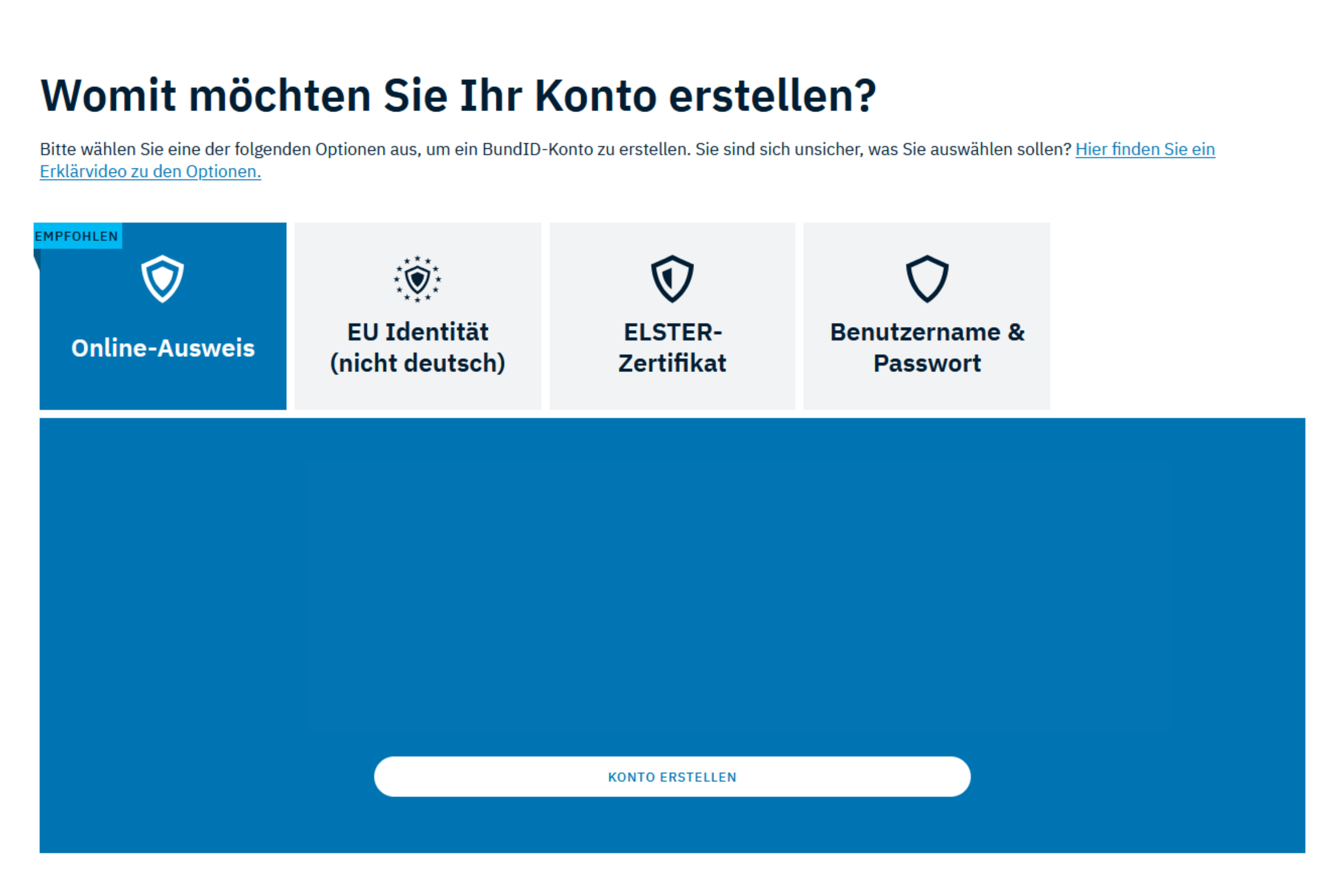
- Visit the BundID Website and click on "Konto erstellen" (Create account)
- Choose an identification method – for creating an account, you can choose between:
- Online ID (for example eAT or eID )
- EU identity (an EU proof of identity with an online function)
- ELSTER certificate
- Username and password
- AusweisApp (ID card app): If you choose identification via Online ID or EU identity, you will need the AusweisApp for registration. It is free and can be downloaded easily
- Complete the registration: You will be guided through the registration process step by step in your browser
Tip: The identification method you choose affects which online services you can use. If you choose “Online ID ,” you can use all online services. If you choose “Username and password,” you can only use some online services, such as managing your account and inbox. So, if possible, choose “Online ID .”
How do I use a BundID?
For a basic account, you only need your username and password.
To use BundID with a higher security level, you need:
- A BundID account: You can find out how to create one in the section: how do I register for a BundID?
- A document with an online ID function, for example your eAT
- Your PIN: You choose this yourself during registration. It consists of six digits. If you do not have one yet, you can convert your transport PIN into a personal PIN in the AusweisApp
- A smartphone or card reader
- The AusweisApp or a similar app
Important
Do you have experience with the BundID or tips for others? Feel free to share your feedback below.